IPTV player · Apple TV · iPhone · iPad
Your IPTV.
Simple. Fast. Stable.
A clean and reliable IPTV player built for Apple TV, iPhone and iPad.
7-day free trial · €3.99/month · €24.99/year
zIPTV is a player. You bring your own playlist — no channels, films or subscriptions are included.
Design principle
Made to just work.
zIPTV does one job: play your IPTV playlist properly on Apple devices. Every decision in the app is measured against speed, stability and simplicity — in that order.
Fast
Quick startup and channel switching.
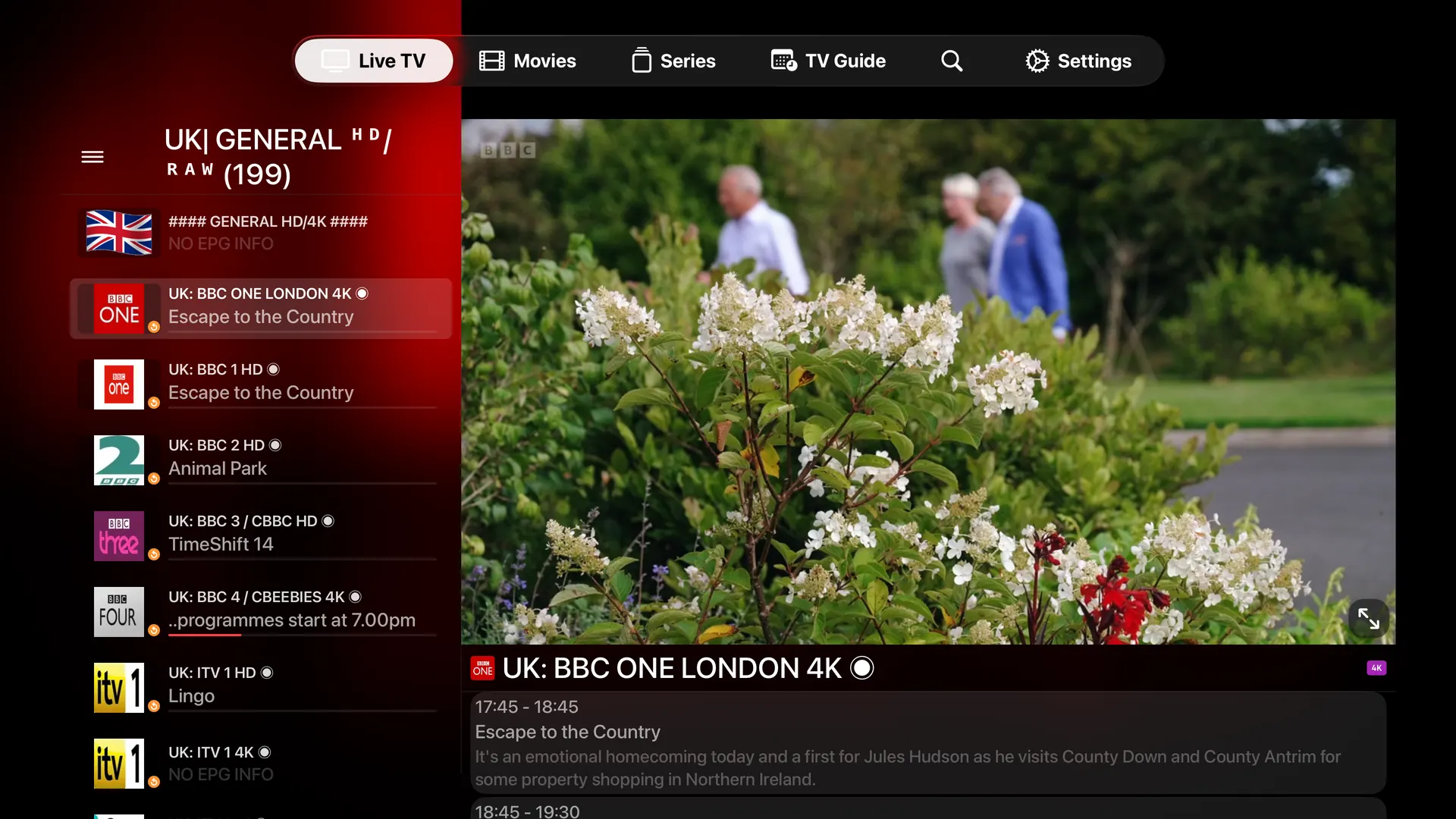
The app opens straight into your channels, and moving between them feels like changing channels on a television — not like loading a web page.
Stable
Smart caching and reliable playback.
Playlists and guide data are cached on the device, and buffering adapts to your connection so a short network hiccup doesn't end the stream.
Simple
Everything you need. Nothing you don't.
One screen to add your playlist, then it gets out of the way. No dashboards, no accounts, no menus you have to learn.
Movies·Series
Films and series, already sorted.
On-demand items from your playlist arrive as a browsable library instead of a wall of file names. Posters, plots, cast and ratings come from The Movie Database, so a list your provider delivered as plain text looks like something you actually want to open.
Series open to seasons and episodes with the artwork and description attached, watch history keeps a continue-watching shelf so you never have to remember where you stopped, and one search covers live channels, films and series at the same time.
Features·16 in total
What's inside.
Everything the app does, listed in full. No tiers, no add-ons, nothing held back for a higher plan.
Multiple profiles
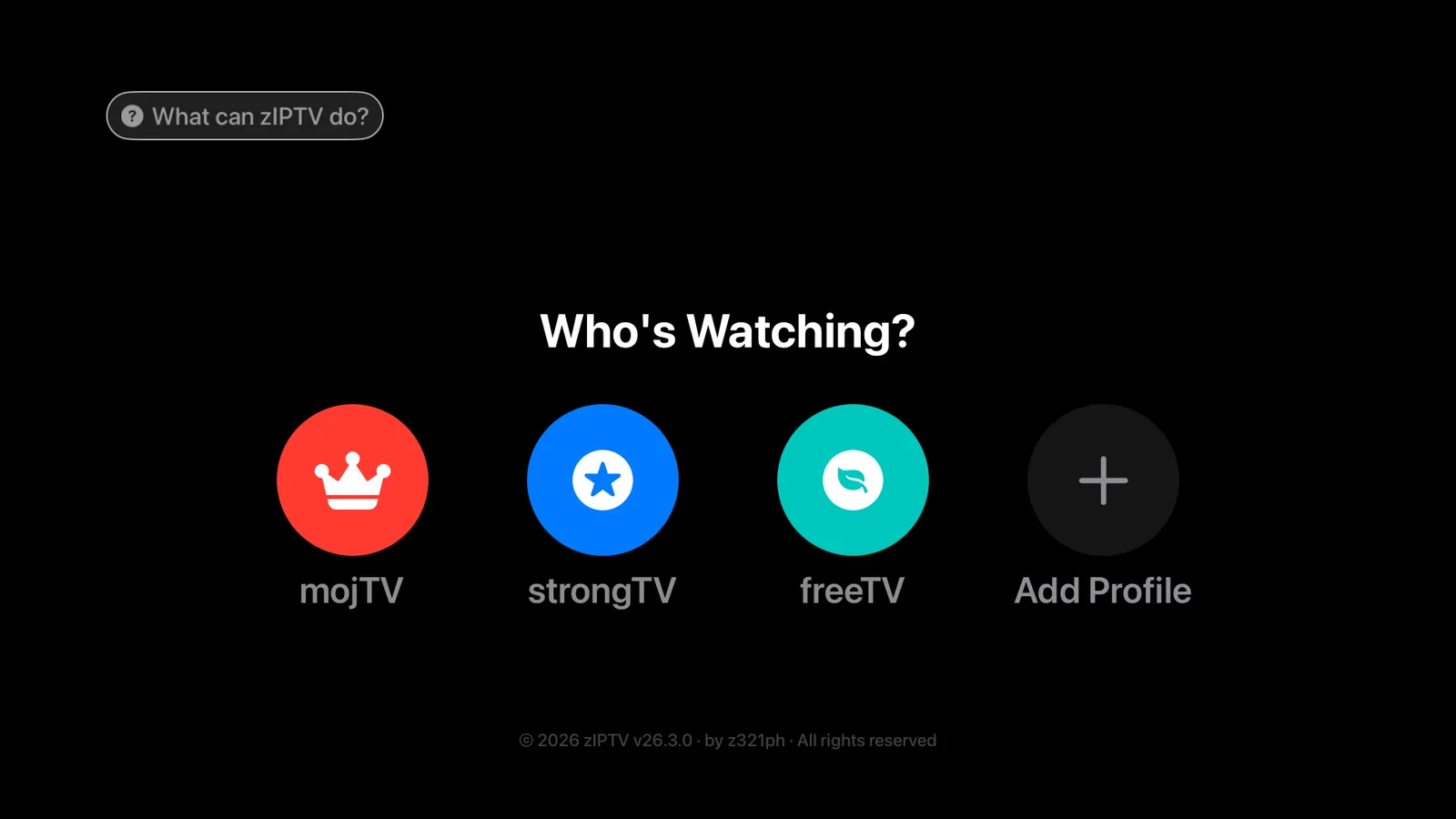
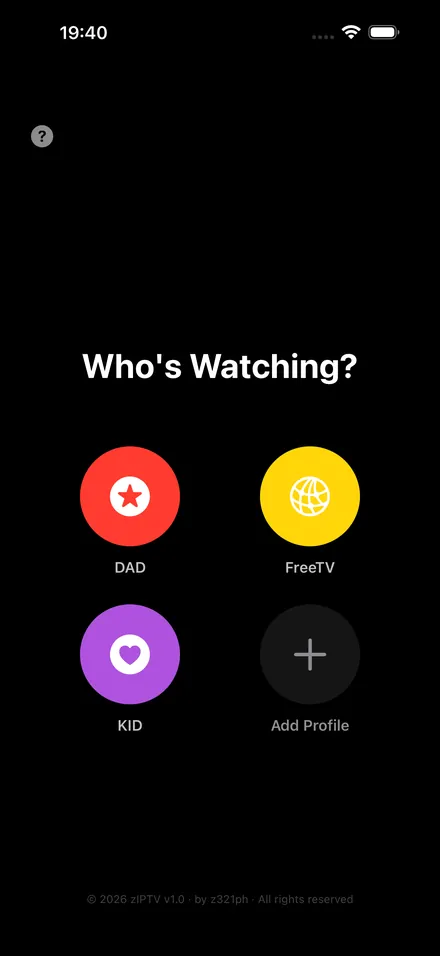
Up to five independent profiles, each with its own source, avatar and preferences.
Parental control / PIN
Lock a category, a single channel or the whole app behind a PIN.
EPG / TV Guide
Current and upcoming programmes per channel, with multi-day guide data and auto-refresh.
Favourite channels
Star the channels you actually watch and reorder them. Favourites come first in Live TV.
Catch-up / time-shift
Replay past broadcasts straight from the guide, on channels where your provider supports it.
Rename channel / icon
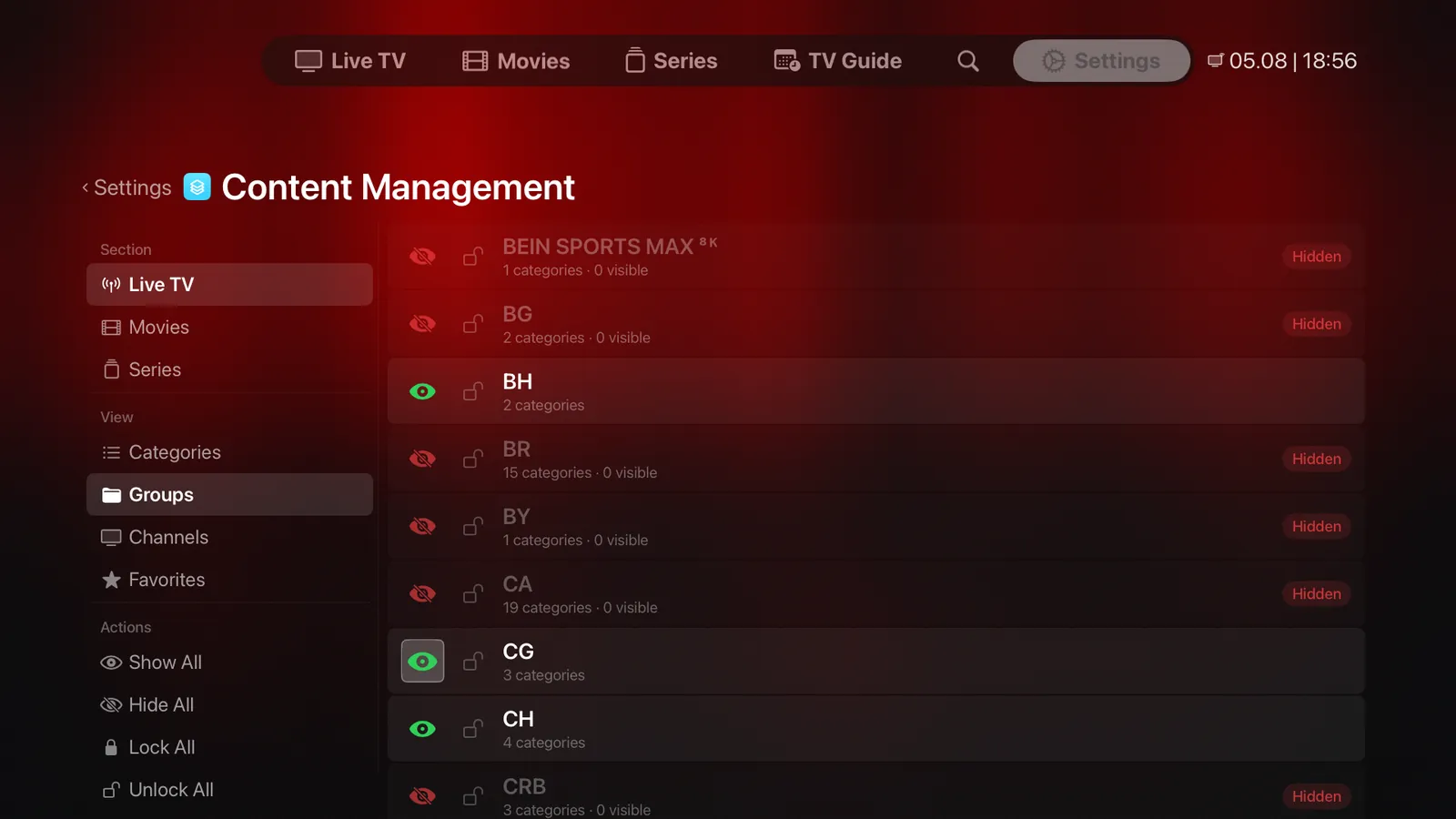
Give any channel, film or series a custom name or icon URL in Content Manager.
Hide / show categories
Switch whole categories off so they stop cluttering the way you browse.
Sort categories
Reorder Live TV categories so the groups you watch most sit at the top.
Audio delay
A per-session delay slider inside the player, for streams where sound drifts from picture.
External subtitles
Search and load subtitles automatically from OpenSubtitles with your own API key.
Multiple player engines
Choose VLC, native AVKit or GPU-accelerated Metal separately for live, films and series.
Aspect ratio control
Switch between Auto, 16:9, 4:3, fill and more without leaving playback.
TMDB integration
Automatic film and series metadata, posters and backdrops via The Movie Database.
iCloud backup
Save and restore profiles and preferences across your devices through your own iCloud.
Watch history
Continue-watching shelves for films and series pick up exactly where you stopped.
Global search
One search across Live TV, films and series at the same time, in one place.
Apple TV·iPhone·iPad
Made for Apple TV.
The interface was drawn for the big screen first. Large, legible type from across the room, a focus engine that moves exactly where you expect, and every action reachable with the Siri Remote — no hunting, no on-screen keyboard gymnastics.
Up to five profiles live side by side, each with its own source, avatar and preferences — and a PIN can lock a profile, a category or the whole app when younger viewers are around.
The same app runs on iPhone and iPad with layouts made for touch, so your playlists and preferences look right on whichever screen is nearest.
tvOS·iOS·iPadOS
Customization
Your channels. Your way.
Provider playlists are rarely tidy. zIPTV lets you fix that once, on your device, without touching the source.
- Rename channels
- Change logos
- Organize categories
- Customize playlists
EPG·Local cache
Your EPG shouldn't disappear.
Guide data comes from your provider, and providers have bad days. zIPTV keeps a local copy of the last guide it managed to load, so a slow or unreachable source doesn't leave you staring at an empty schedule.
When the source responds again, the guide refreshes quietly in the background and picks up where it left off. No player can promise a guide that never fails — what zIPTV promises is that a temporary problem at the source doesn't become a blank screen on yours.
The guide runs several days ahead, refreshes on its own, and — where your provider supports catch-up — lets you start a past programme straight from the row it sits in.
Expert Mode·Off by default
Simple when you want it. Powerful when you need it.
Most of the time you just want the picture. But when something looks wrong, guessing is the worst way to fix it.
Expert Mode opens a live readout over the stream: resolution and frame rate, video and audio codecs, current bitrate, buffer health, dropped frames and connection timings. Enough to tell a network problem from a source problem in a few seconds — and it stays hidden until you ask for it.
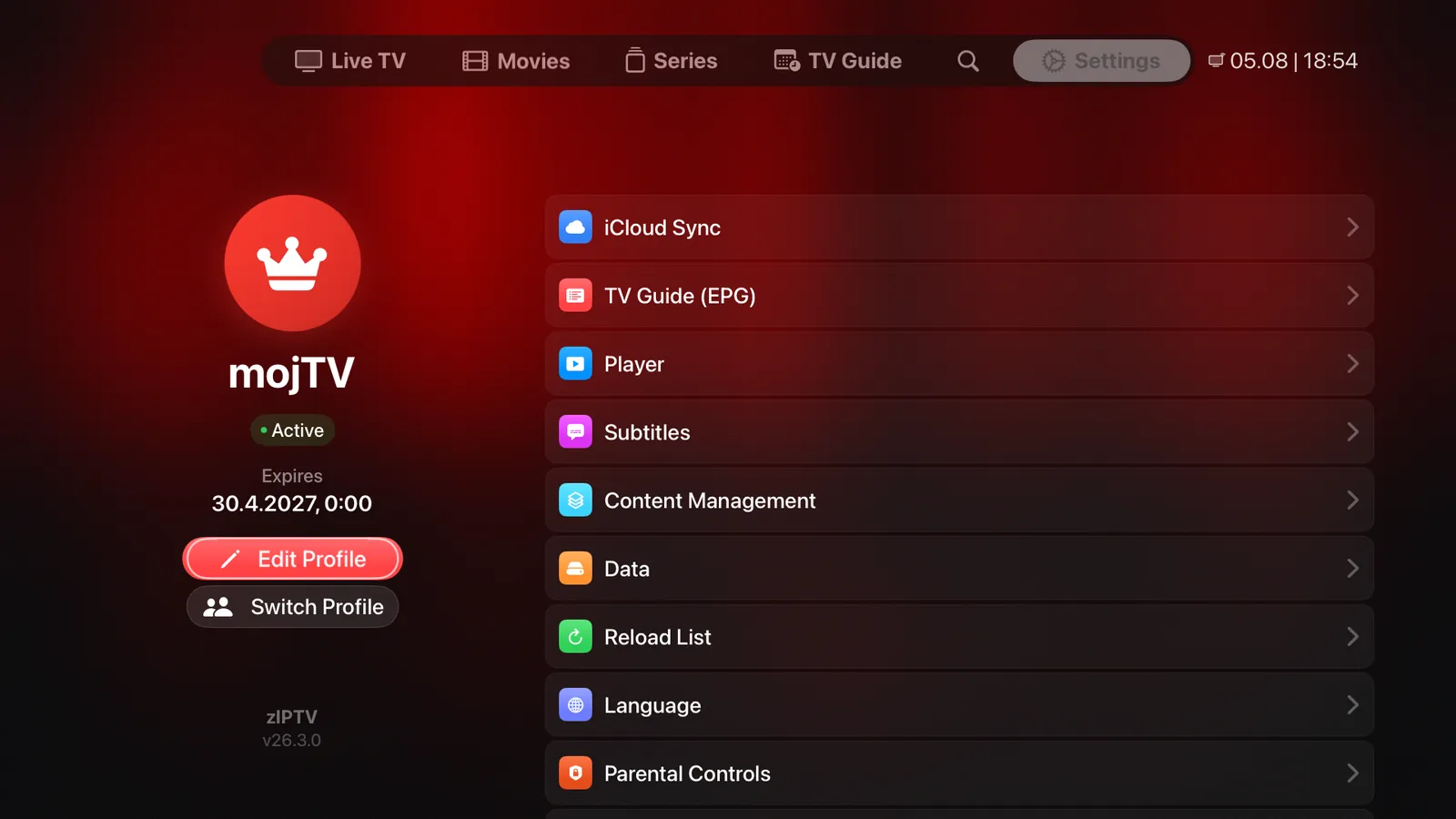
The rest of the depth sits in Settings, one screen away: playback engine per content type, subtitles, guide behaviour, parental controls, cached data and language. None of it is homework — the app works before you open any of it.
Pricing
One price. Everything included.
Start with a 7-day free trial. If it isn't for you, cancel before it ends and you pay nothing.
- Every feature — no tiers, no add-ons
- Apple TV, iPhone and iPad
- Unlimited playlists and channels
- Cancel anytime in your Apple Account
Subscriptions are purchased and managed through the App Store. Payment is charged to your Apple Account at the end of the free trial, and renews automatically unless cancelled at least 24 hours before the end of the current period. The subscription covers the zIPTV player only — TV channels, films and provider services are not included.
FAQ
Questions, answered.
Does zIPTV provide channels?
No. zIPTV is a player, not a content service. It includes no channels, films, series or subscriptions of any kind. You add a playlist you already have from your own provider, and zIPTV plays it.
What formats are supported?
M3U and M3U8 playlists, Xtream Codes portals, HLS and MPEG-TS streams, and XMLTV guide data — including compressed guide files. Which specific streams play depends on the codecs your Apple device supports.
Which Apple devices are supported?
Apple TV (tvOS), iPhone (iOS) and iPad (iPadOS). One subscription covers all of them, and iCloud sync carries your profiles and preferences between devices.
Does zIPTV require a VPN?
No. zIPTV has no VPN feature and does not require one. It connects directly to whatever source you configure. If you use a VPN, that stays entirely between you and your VPN provider.
Can I customize my channels?
Yes. In Content Manager you can rename channels, films and series, set custom icons, reorder and hide entire groups and categories, mark favourites and lock items behind a PIN. Changes are stored on your device and never sent to your provider.
Is there a free trial?
Yes — 7 days, with every feature unlocked. After that it's €3.99 per month or €24.99 per year. Cancel before the trial ends and you are not charged.
Ready to simplify your IPTV?
7-day free trial